
Decision Services in DMN

Welcome to the second in a series of blog posts on the use of DMN, this time looking specifically at how we develop re-usable Decision Services. If you missed the first instalment, you can read it here.
Written by John Cornforth, Head of Professional Services
What is DMN? A Recap
As stated in my previous post, Decision Model and Notation (DMN) is the industry standard for business decision modelling using diagrams as opposed to code. It is a vendor-neutral standard maintained by the Object Management Group (OMG), the same organisation behind Business Process Model and Notation (BPMN). In BPMN, a business process is designed as a ‘workflow’ diagram. You can think of DMN as the business rules equivalent of that: in the same way, DMN allows you to model the structure and logic of a business rule graphically, as opposed to having to code everything in Drools Rules Language (DRL).
Last time, we looked at the various components of a DMN model, including Decision Requirements Diagrams (DRD), Custom Data Types and FEEL expressions. In this post, we are going to expand on that knowledge in order to create re-usable Decision Services.
Results and Reusability
When you execute a DMN model, the results you get back usually contain an evaluation of every decision node you’ve used on the DRD. Whilst useful for initial debugging, this can often become annoying, particularly when you have a complex DRD with lots of decision nodes and you’re really only interested in the result of the “final” one.
Let’s take the example from the previous post, where execution of our Pricing model returned the correct result, but it also returned the evaluation of every other decision node that had to be evaluated along the way.
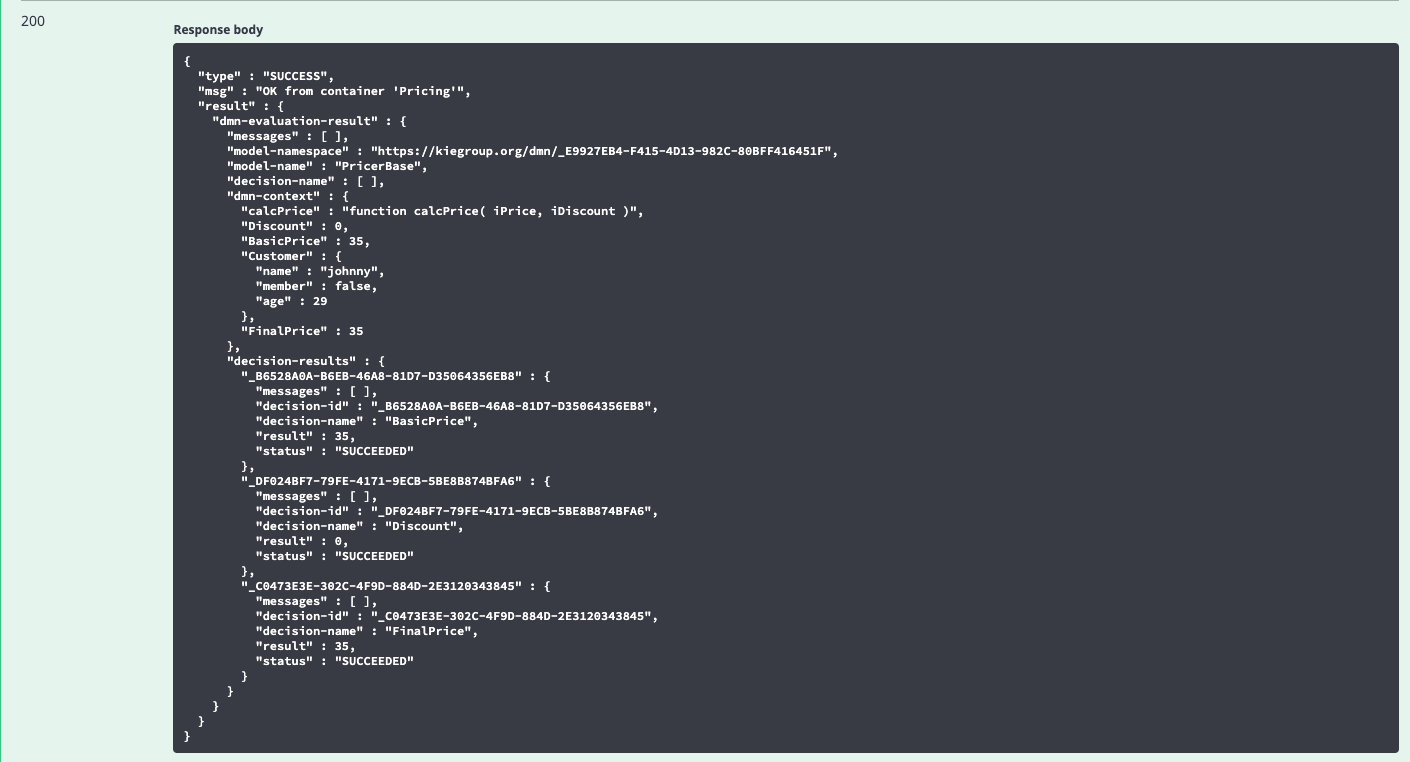
This isn’t a particularly large model, but imagine a complex DRD with a lot of decision nodes: you would have to do a lot of parsing to pick out the relevant result. Now imagine you want to re-use this model elsewhere – perhaps the pricing calculation is part of a much larger set of decisions, or it’s being called as part of a business process? Picking out the correct decision node in this scenario would present a significant challenge.
What we need is a way to wrap up a DMN model into a reusable service, which gives us just the results of relevant decisions, as opposed to all of the decision nodes in the model.
Luckily, that’s exactly what a Decision Service does.
Decision Services
The godfather of DMN, Bruce Silver, defines a Decision Service as the unit of execution of DMN logic, whether that is invoked by a decision in the DRD, a business rule task in BPMN, a decision task in CMMN, or an API call in any external client application or process. However, the type of Decision Service I want to talk about is very specific: it is a DRD component, referred to as a Decision Service node, that you can add to a DMN model to encapsulate multiple decisions into a single, callable service.
The Decision Service node is that last icon on the design palette, which looks like a decision node cut in half.
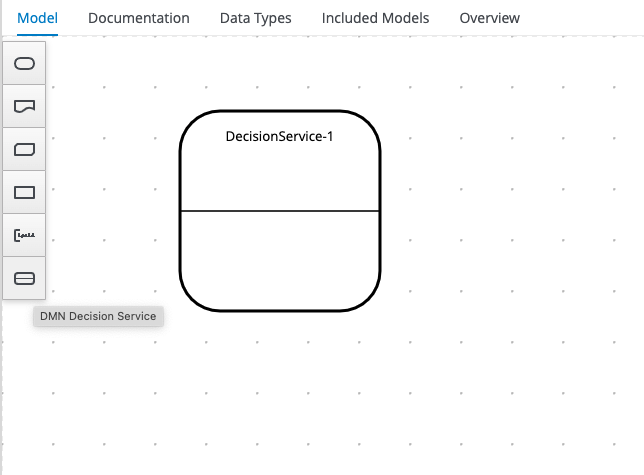
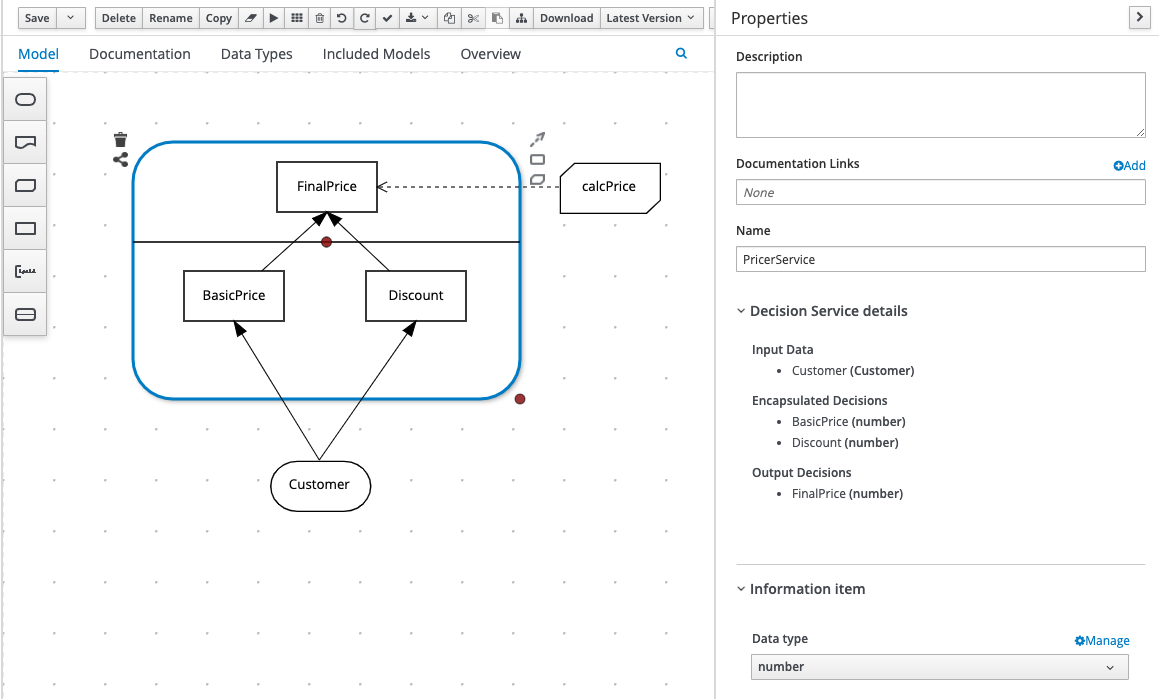
In a Decision Service node, the decision nodes in the top segment – the Output Decisions – represent those decisions that you actually want to see the results of. The decision nodes in the bottom segment – the Encapsulated Decisions – represent dependent decisions which may be important in order to arrive at the output decisions, but they are encapsulated in the service, meaning we don’t actually need to see their results.
The Decision Service will still have input data, just like a regular decision node, and any of the decision nodes in a Decision Service can implement Business Knowledge Models just like you would with regular decision nodes.
The Decision Service node itself also has a configurable Data Type property, allowing you to map the data type(s) of the output decision(s) to the service itself. This can be useful if your Decision Service has multiple output decisions, which you want to return as a complex object a.k.a. Custom Data Type (as discussed in my previous blog post).
Let’s take our Pricing example from the previous blog post.
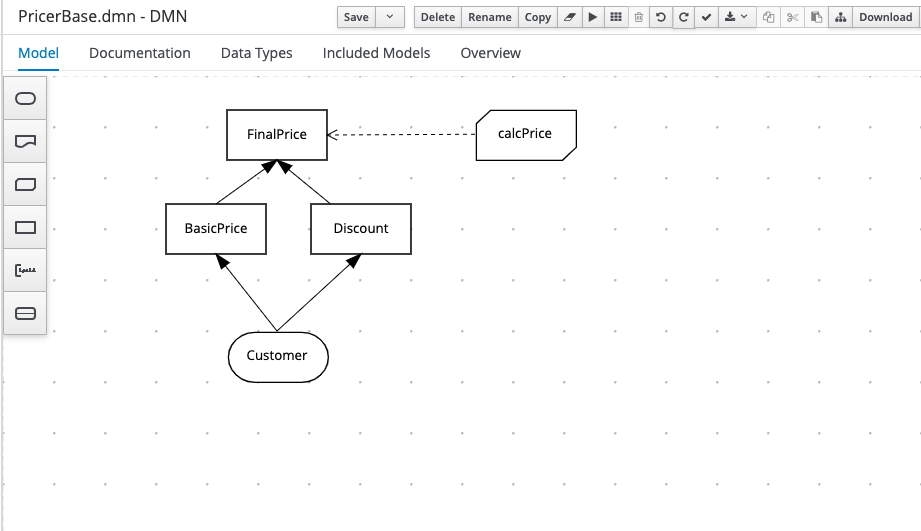
In this case, although they’re important dependencies, we don’t really need to see the results of the BasicPrice and Discount decision nodes: the result we really want is FinalPrice. So in a Decision Service node, this would be our Output Decision, with BasicPrice and Discount as our Encapsulated Decisions. To create this, we simply add a Decision Service node to the diagram and then drag the existing decision nodes into the appropriate segment of the Decision Service node.
TIP: if you select the Decision Service node, you will see 2 red dots which you can drag to either re-size the split between segments, or to re-size the overall node itself.
The final model should look like something like this:
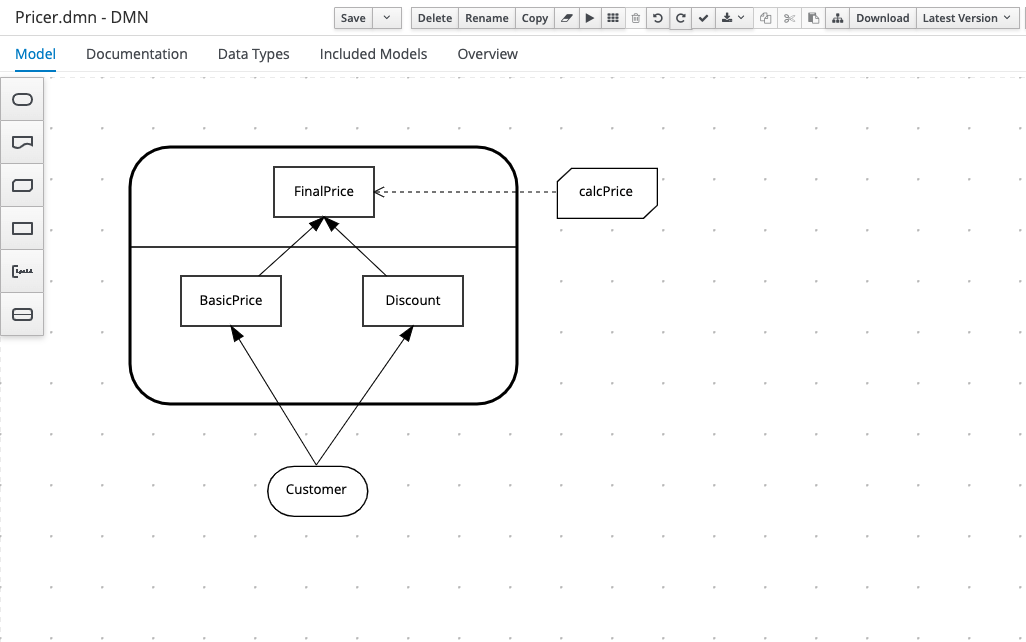
You should also set the properties of the Decision Service node so that it has an appropriate name and the correct Data Type. Notice also that the property sheet summarises the Output Decisions and Encapsulated Decisions (with their respective data types) for you.
Creating a Decision Service node in your model doesn’t automatically change the output of the model – it is just the first step. Next, you need to embed the decision service in another model, which will act as the calling mechanism for the service and will effectively “hide” the results of your encapsulated decisions.
Embedded Models
Quite simply, this process is the embedding of one pre-existing DMN model inside another. You can do this for any DMN model that you’d like to re-use, and it isn’t limited to models that have Decision Service nodes in them, although that’s its most common use case.
All you need to do is have an existing, pre-saved model, which you can then include in a new one. Create a new DMN model, then click on the Included Models tab of the designer and you should see this screen:
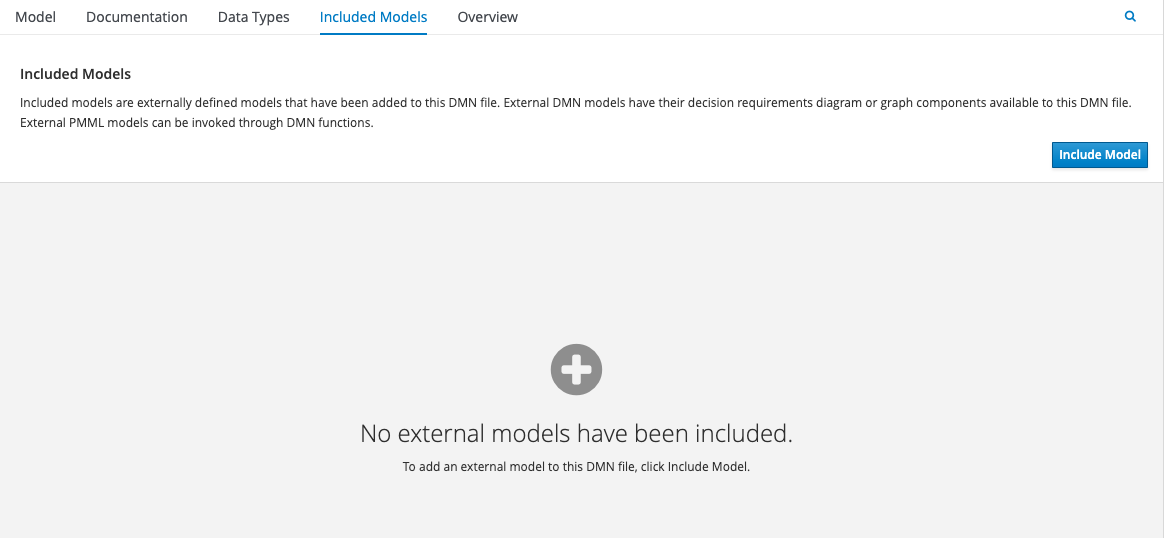
Select one of your existing models, and give it a name which will be used as its reference within the new model – it can be the same as its original name, or different, depending on how you intend to use it. Once included, all of the nodes of the embedded model are listed and available for use within the host model’s designer, as illustrated below:
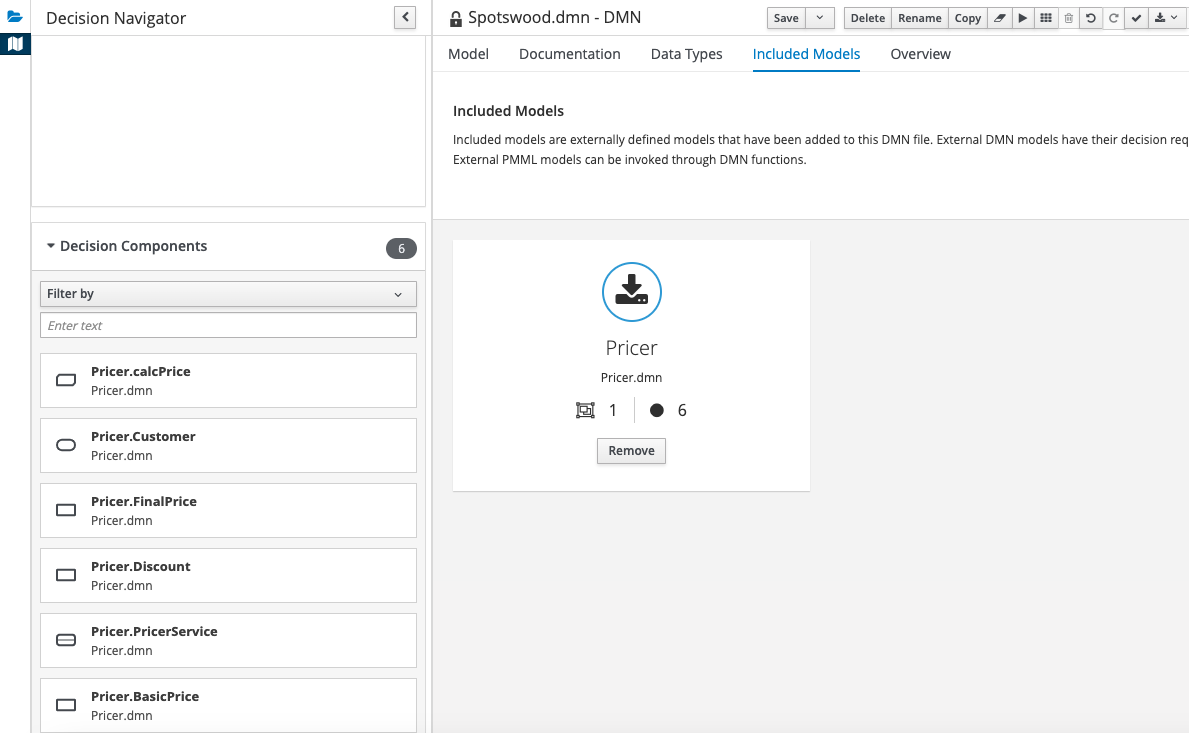
So that tells us that when you embed a DMN model inside another, you basically get all of the components of the embedded model, including input data nodes, decision nodes and services, available in the host model. Those components can interact with nodes from the host model, but you cannot edit them. It helps to think of the embedded components as links, or references, to the original model, rather than copies. If you need to change the underlying logic, you’ll need to go back to the original model to do so.
Similarly, any custom data types included in the embedded model are now available in the host model, also read only:
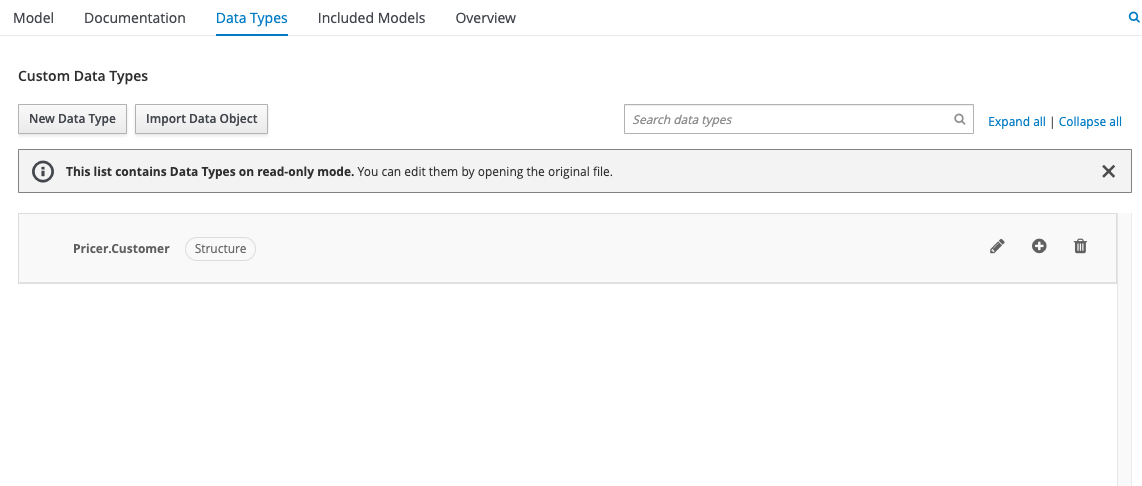
As far as I know, there is no limit to the number of models you can embed, but be warned: managing lots of embedded components can be tricky, particularly if you haven’t defined Decision Service nodes in those embedded models.
Fortunately for us, we have already done that. So in our case, the only component that we actually need from the embedded model is the Decision Service node, and we can drag that onto the canvas of our new host model.

The inclusion of the embedded Decision Service node doesn’t do anything on its own, however: it’s just a definition of functionality. It needs some real-world input data, and a way in which to call the service on that data. So we will add an input data node to provide the data, and a decision node that calls the service, as illustrated here:

The expression that we use for the Price decision node – the node that calls the functionality of our service – is like a remote function or method call. It is a reference to the embedded model and service, with the input data passed in as a parameter:

Service Execution
Now we have a DMN model that calls a decision service. So from an execution point of view, it’s actually quite simple: we just execute the host model and pass it the same input parameters as we did with the original model.
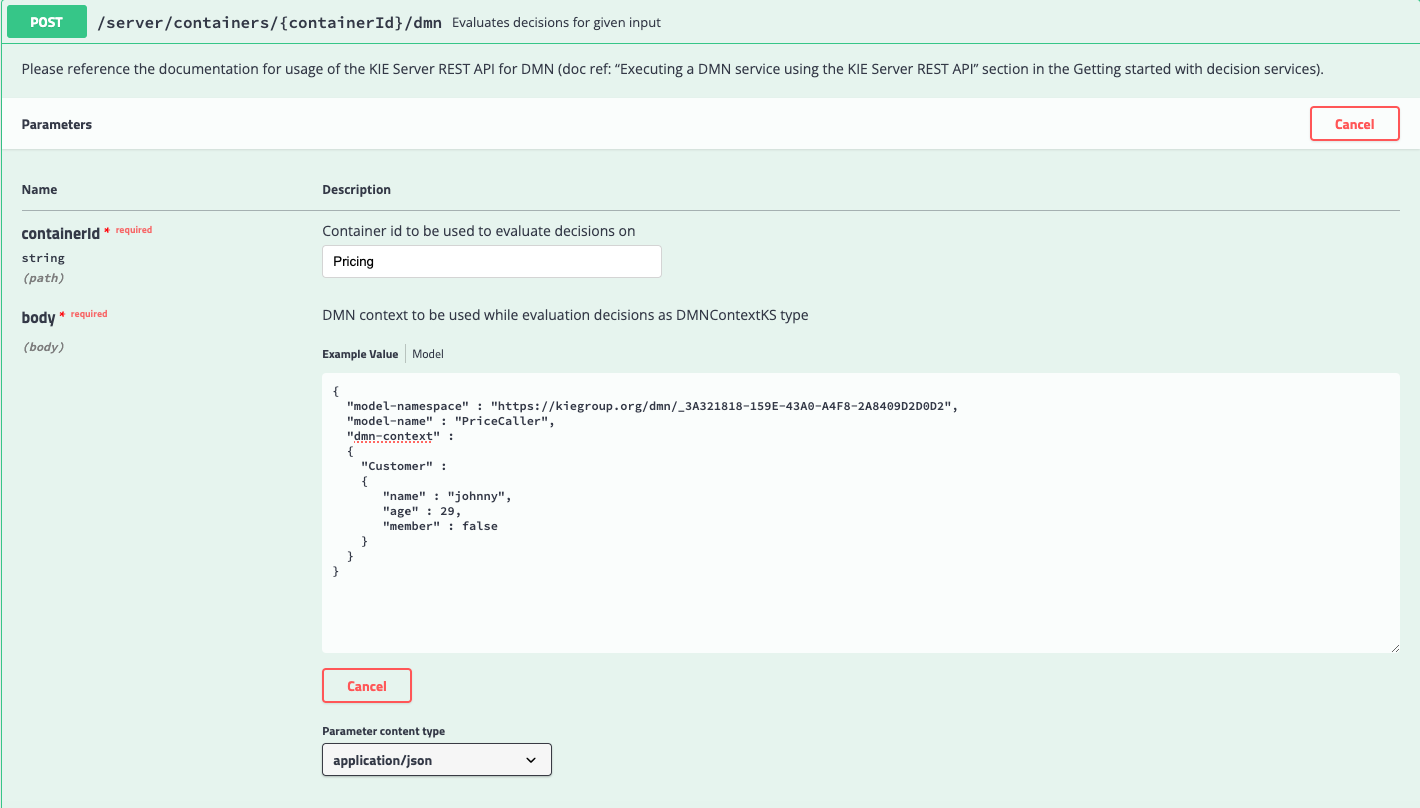
But this time, the output should be restricted to just the Output Decision of the decision service.
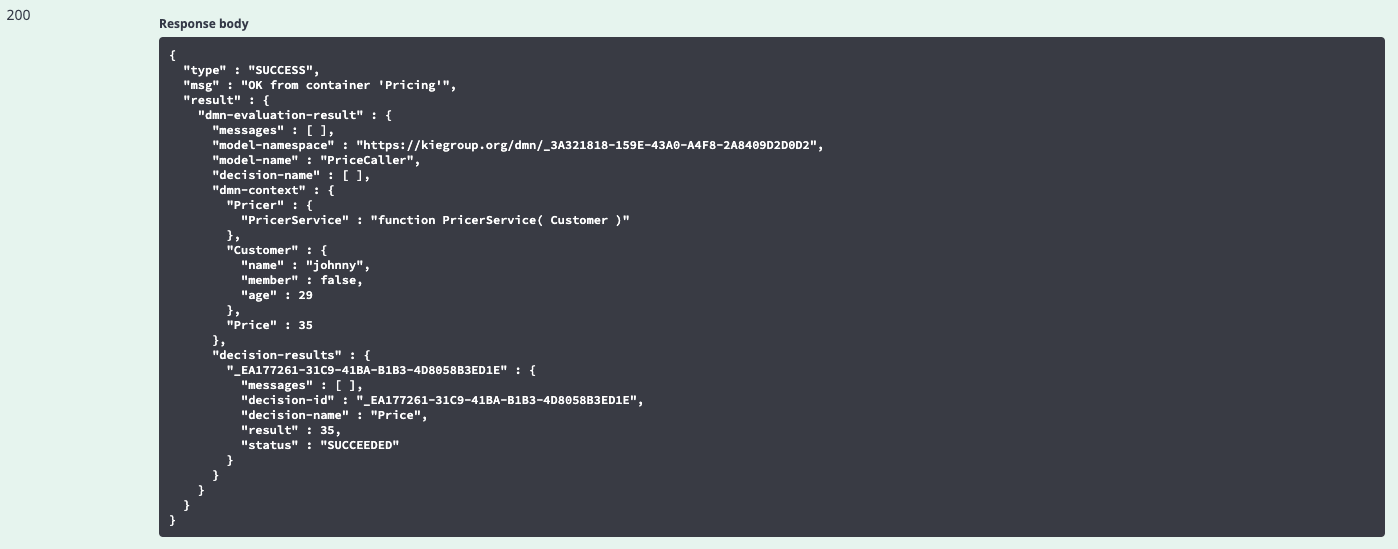
And now that we have defined that callable service, we can use it in any other DMN model we wish.
Summary
In this article we have demonstrated the use of Decision Services in DMN. They provide a convenient way to re-use DMN functionality, and they also encapsulate decisions and logic, that we don’t necessarily need to see, into a manageable set of results.
Stay tuned for another exciting instalment of this series coming soon!
Further Reading
For general information on DMN, and to download the specification, see the Object Management Group’s website here.
For best practice on all things DMN and BPMN, see Bruce Silver’s website Method & Style here.
For a more in-depth look at Decision Services, see Bruce Silver’s blog here and the Red Hat documentation.
For further examples of Decision Services, see this article.